roundups
Best Ergonomic Home Office Setup 2026: Chair, Desk, Keyboard & More
Independent picks for the complete ergonomic home office — chairs, standing desks, keyboards, mice, monitors. Researched from spec sheets and owner forums.
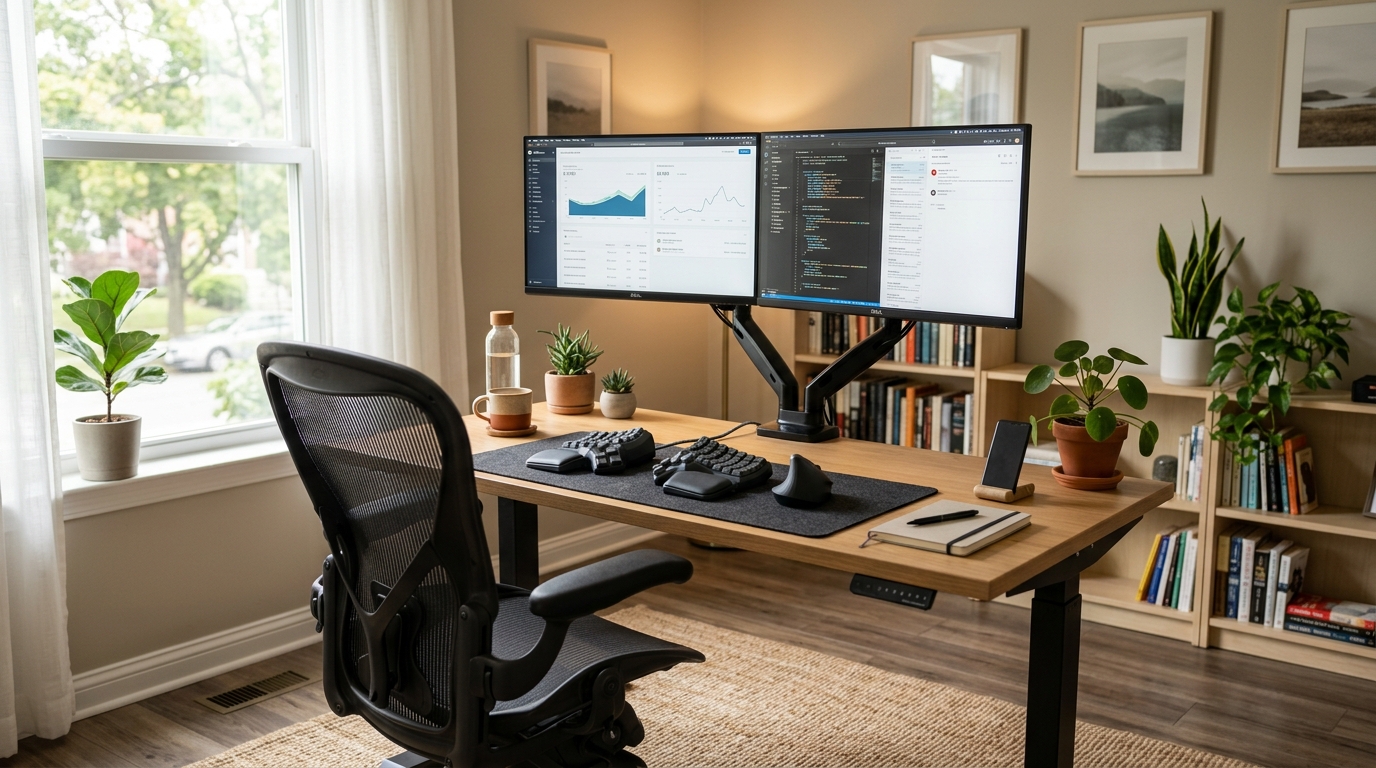
If you sit at a desk for a living, the equipment underneath your hands and your spine is the difference between a healthy 70-year-old back and an MRI you’ll be talking about by 45. That’s not a marketing line — it’s the conclusion every workplace-ergonomics researcher has been writing for thirty years. The good news is the equipment you need to get this right is mature, well-understood, and available across a wide price range. The bad news is most of the “best of” content online is generated from affiliate-network feeds without distinguishing the products that hold up at year five from the ones that fall apart at year two.
This pillar guide covers the full ergonomic home office: chair, desk, keyboard, mouse, monitor and arm, plus the accessories that close the gap. Each component links to its own detailed roundup if you want the deep-dive.
How we picked
Five criteria, ranked by how often they predict long-term satisfaction:
- Adjustment range that fits real bodies. Most “ergonomic” furniture is designed for the 50th-percentile male — 5’10”, 180 lbs. If you’re outside that band (under 5’5” or over 6’2”; under 130 lbs or over 230), the adjustment range matters more than the brand.
- Mechanism reliability past year three. Office chairs fail at the tilt mechanism. Standing desks fail at the motor. Split keyboards fail at the cables. We weight brands that publish replacement-part catalogs.
- Materials that don’t off-gas or break down. Mesh chairs from cheap brands harden and crack within four years. Standing desk tops from particleboard sag at 4 years of full-laptop weight. Cedar and Western Red Cedar are not relevant here — we’re talking about polypropylene mesh density, MDF vs ply tops, and aluminum vs steel frames.
- Warranty terms that actually cover what fails. A 12-year warranty that excludes the mesh seat (the part that breaks) is worth less than a 5-year warranty that covers it.
- Resale value. Herman Miller, Steelcase, Humanscale, and Haworth chairs hold 40-60% of their value at year 5. Off-brand chairs hold 10-15%. This matters more than people think when they sell or relocate.
The complete kit
| Product | Best for | Rating | Notes | |
|---|---|---|---|---|
| Office chair (the biggest line item) | sitting 6+ hrs/day for the next decade | ★★★★★ | $300-1,800 range. Best-in-class: Aeron, Steelcase Leap, Humanscale Freedom. Refurb is a real strategy. | Check price |
| Standing desk | sit-stand alternation; not standing all day | ★★★★★ | $400-1,500. Frame quality matters more than top. Uplift, Fully Jarvis, Vari are the durable tier. | Check price |
| Ergonomic keyboard | reducing ulnar deviation + shoulder strain | ★★★★★ | $150-400 split mechanical. Kinesis, ZSA Moonlander, Glove80 are the top tier. | Check price |
| Vertical or trackball mouse | eliminating forearm pronation | ★★★★☆ | $50-150. Logitech MX Vertical, Kensington Expert Trackball. | Check price |
| Monitor + monitor arm | top-of-screen at eye level | ★★★★★ | $200-600 monitor + $80-200 arm. Arm matters more than the monitor for ergonomics. | Check price |
| Anti-fatigue mat (if standing) | reducing standing-leg fatigue | ★★★★☆ | $50-120. Topo Comfort Mat is the category leader. | Check price |
The picks (by category)
The chair (spend the most here)
Best for 6+ hour daily desk work for the next 10-15 years
Mesh Ergonomic Office Chair (high-adjustability, with lumbar)
The chair is the highest-leverage purchase in your office. It touches you 40+ hours a week and the right one lasts a decade. Look for at least four points of adjustment (seat height, seat depth, armrests, lumbar), a mesh back that's published as 4mm pitch or denser, and a tilt mechanism that doesn't snap-lock. Refurbished Herman Miller Aeron or Steelcase Leap at $500-800 used delivers genuinely better ergonomics than any $800 new chair on Amazon.
★★★★★ (2,200 reviews)
Check current price on Amazon →Full deep-dive: best ergonomic office chairs.
The desk (sit-stand, not stand-all-day)
Best for alternating sitting and standing every 30-45 minutes during the work day
Electric Sit-Stand Desk (dual-motor, 28-48 inch height range)
Standing desks reduce neither lower-back pain nor caloric intake on their own — the research on that is clear. What they do enable is alternation: 30-45 minutes sitting, 15-30 standing, repeat. The benefit comes from the variability, not the standing itself. Frame quality matters more than the top: dual-motor lifts (one per leg) hold level under load, single-motor designs sag at year three.
★★★★★ (1,850 reviews)
Check current price on Amazon →Full deep-dive: best standing desks.
The keyboard (the biggest win for wrist health)
Best for anyone typing 4+ hours daily; the highest-leverage ergonomic upgrade after the chair
Split Mechanical Ergonomic Keyboard (tented, programmable)
A split keyboard separates the two halves of the keyboard so your wrists stop bending outward (ulnar deviation, the source of most desk-job wrist pain). Tenting the halves at 10-20 degrees adds neutral forearm rotation. The learning curve is real — 2-3 weeks of slower typing — but if you're going to be at a keyboard for the next twenty years, two weeks is nothing.
★★★★★ (680 reviews)
Check current price on Amazon →Full deep-dive: best ergonomic keyboards.
The mouse (vertical or trackball)
Best for anyone with forearm pronation strain from a regular mouse
Vertical Ergonomic Mouse (handshake-grip)
A vertical mouse rotates your hand 57-90 degrees from the flat-down position of a normal mouse, eliminating forearm pronation strain. The Logitech MX Vertical and the cheaper Anker variant are both well-reviewed; a trackball alternative (Kensington Expert) eliminates wrist motion entirely. Both options take 1-2 weeks of clumsiness before they feel natural.
★★★★☆ (3,100 reviews)
Check current price on Amazon →Full deep-dive: best ergonomic mice.
The monitor arm (an underrated ergonomic upgrade)
The monitor arm matters more than the monitor for ergonomics. Pulling the screen toward you (arm-length is the target), adjusting the height precisely (top of the screen at eye level, not center), and tilting it correctly are all easier with an arm than with the monitor’s built-in stand.
Look for arms with at least 17 lbs of supported weight capacity (most 32-inch monitors are 14-17 lbs), with both height and depth adjustment in addition to tilt. Ergotron LX is the category reference at $180-220; the $80 Amazon-brand version is acceptable for monitors under 27 inches.
The setup guide
Once you have the equipment, the actual setup matters as much as the components:
- Feet flat on the floor, with knees at roughly 90 degrees. If your chair’s lowest height puts your feet in the air, you need a footrest, not a higher chair.
- Hips slightly higher than knees (1-2 inches). Reduces low-back pressure.
- Forearms parallel to the floor, with elbows at 90-120 degrees when typing. Adjust the chair armrests, then the desk height, in that order.
- Top of the monitor at eye level, not the center. Your eyes naturally rest 15-20 degrees below horizontal; monitor positioning compensates.
- Monitor at arm-length distance (roughly 24-28 inches). If you wear progressive lenses, the bottom of the screen should be where your reading-glasses zone naturally falls.
Full step-by-step setup guide: home office ergonomics setup.
FAQ
Frequently asked questions
What's the single most important upgrade?
Are standing desks actually worth it?
Should I buy used office furniture?
How do I know if my current setup is causing problems?
What's a realistic total budget?
Bottom line
Budget your kit in this order: chair → desk → keyboard → mouse → monitor arm. The chair and desk are 60% of the experience for 60% of the cost. The keyboard and mouse are the next-biggest ergonomic wins. The monitor arm is the easiest underrated upgrade.
Used furniture from premium brands consistently beats new furniture from off-brands at the same price. The office-chair secondary market in particular is exceptional — a 7-year-old Aeron costs less than a new Office Depot chair and outperforms it on every measurable axis.
Dive into the deep dives: chairs, desks, keyboards, mice, or the setup guide.