roundups
Best Ergonomic Mice of 2026 (Vertical, Trackball, Pen Tablet)
Vertical, trackball, and pen-tablet ergonomic mice compared. Logitech MX Vertical, Kensington Expert, and the Wacom alternative for forearm pronation strain.
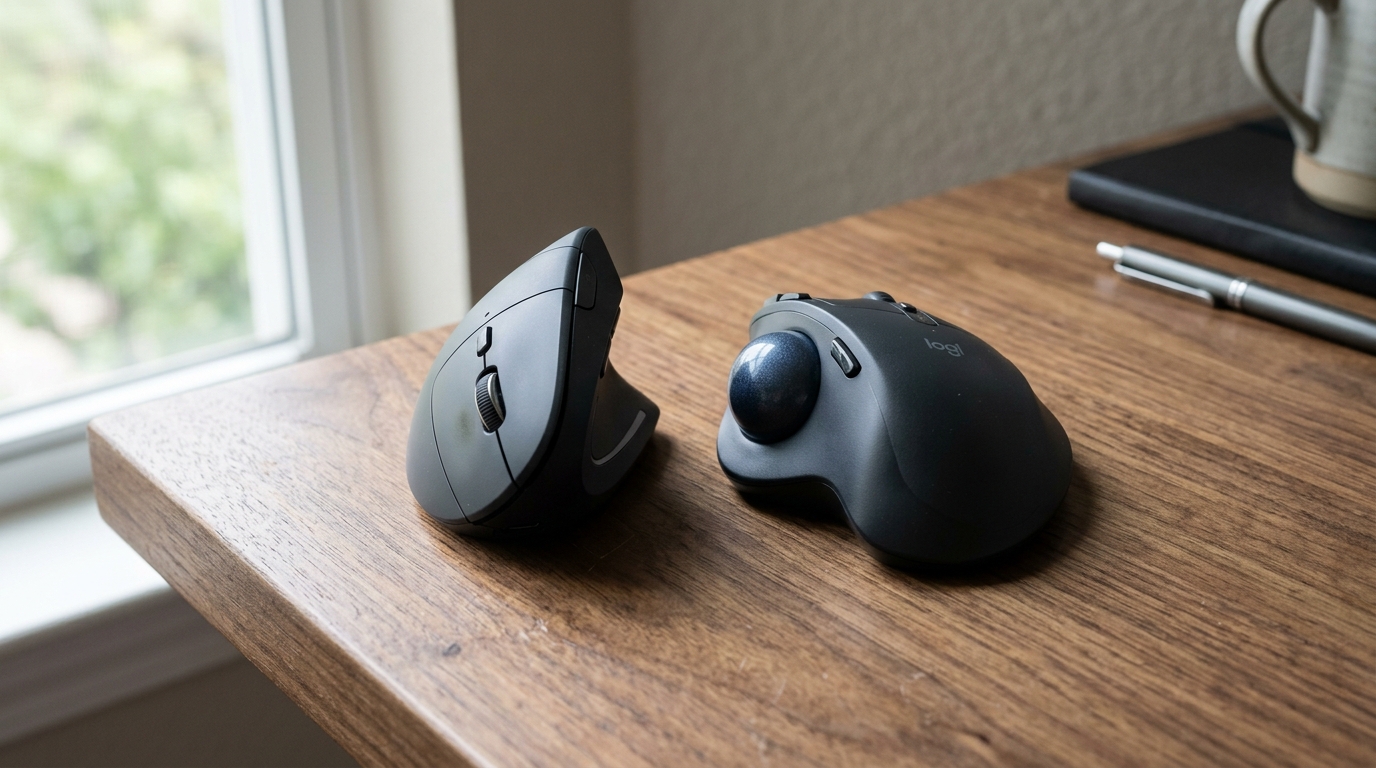
A regular mouse forces your forearm into pronation — palm-down rotation against the natural neutral position. Hold that pose for 8 hours a day, 5 days a week, for years, and your forearm muscles, the pronator teres especially, complain. The complaint shows up as forearm tightness, the “mouse arm” ache, and eventually as tennis-elbow-style pain at the outside of the elbow. There are three real solutions: vertical mice (rotate your hand to handshake position), trackball mice (eliminate wrist motion entirely), and pen tablets (the most ergonomic but the steepest workflow change).
This guide covers all three, plus the budget tier of “ergonomic-shape” regular mice that are modest improvements but real product.
How we picked
The ergonomic mouse category is smaller and more mature than the keyboard category. Five legitimate brands cover most of the field: Logitech, Kensington, Anker, Microsoft, and Evoluent. Below them, a long tail of cheap copies, most of which we’d skip.
- Real tilt angle for vertical mice. Marketed angles include the slope of the side, not just the grip rotation. We weight the actual hand position.
- Button quality past year three. The primary click button is the failure point. Premium mice (MX Vertical, Anker 2.4G) use Omron switches rated to 10M+ clicks; cheap mice use unbranded switches that go mushy at year 2.
- Sensor quality. A 1600+ DPI optical sensor is the floor; below that, fine motor control suffers. Pen tablets are pressure-sensitive and require their own category.
- Hand-size fit. Vertical mice are sized — small/medium/large hands fit different bodies. Most marketing pictures are taken with average-male hands; outliers should verify.
- Driver software requirements. Some mice need proprietary software for full button programmability. We weight mice that work well without software (so they’re usable on borrowed/IT-managed machines).
Quick comparison
| Product | Best for | Rating | Notes | |
|---|---|---|---|---|
| Logitech MX Vertical | best overall vertical mouse | ★★★★★ | $80-110. 57° tilt. 4000 DPI sensor. Multi-device pairing. | Check price |
| Anker 2.4G Vertical Mouse | best budget vertical | ★★★★☆ | $25-35. 90° tilt. Wired or 2.4G wireless. Genuinely good for the price. | Check price |
| Evoluent VerticalMouse 4 | multiple size options for outlier hand sizes | ★★★★★ | $110-140. 90° tilt. Comes in S/M/L; lefty option available. | Check price |
| Kensington Expert Mouse (trackball) | best trackball; eliminates wrist motion entirely | ★★★★★ | $100-130. Large ball; scroll ring; wireless option. | Check price |
| Logitech MX Ergo (trackball) | thumb trackball; smaller footprint | ★★★★★ | $100-130. Thumb-operated trackball. Tilt frame. | Check price |
| Wacom Intuos Pro (pen tablet) | most ergonomic option; designers + ground-up workflow change | ★★★★★ | $280-380. Pressure-sensitive pen + tablet replaces mouse entirely. | Check price |
The picks
Best overall: Logitech MX Vertical
Best for anyone with mild to moderate forearm strain; the easiest ergonomic-mouse upgrade
Logitech MX Vertical Ergonomic Mouse
The MX Vertical is the default vertical-mouse recommendation in the home-office community. 57° tilt rotates your hand to a natural handshake position, the Logitech sensor is precise enough for design work, and Logitech Options software lets you program 6 buttons including button-on-thumb gestures. Multi-device pairing (USB receiver + Bluetooth + second Bluetooth) lets it move between desktop, laptop, and tablet. USB-C rechargeable; one charge runs roughly 4 months.
★★★★★ (6,800 reviews)
Check current price on Amazon →Pros
- 57° tilt — meaningful pronation reduction without going to full 90°
- 4000 DPI optical sensor (precise enough for graphic design)
- Multi-device pairing across 3 devices
- USB-C rechargeable; 4-month battery life per charge
- Logitech Options software is well-built (works without it too)
- Side thumb buttons are usable, not just decorative
Cons
- 57° tilt is less than full 90° (Evoluent and Anker offer more upright options)
- Right-handed only (Logitech does not make a left-hand MX Vertical)
- Slightly bulkier than budget verticals; large-hand users prefer it, small-hand users find it big
- $80-110 is at the top of the vertical-mouse range
Best budget vertical: Anker 2.4G
Best for trying a vertical mouse without committing $100 to find out if you like it
Anker 2.4G Wireless Vertical Mouse
The Anker vertical mouse is the standard recommendation for trying a vertical mouse before committing to a premium one. At $25-35, the price is low enough that the experiment is cheap. The grip angle is actually more aggressive than the MX Vertical (90° vs 57°), which some users prefer. Build quality is unsurprisingly lower — buttons get mushy at year 2-3 — but for testing whether vertical-mouse ergonomics work for you, the Anker is the right move.
★★★★☆ (42,000 reviews)
Check current price on Amazon →Best trackball: Kensington Expert Mouse
Best for users with significant wrist strain; total elimination of wrist motion
Kensington Expert Mouse (Wired or Wireless)
A trackball doesn't move — your wrist doesn't move with it. The Kensington Expert uses a large central ball (think pool ball) operated by your fingers, with a scroll ring around it. The learning curve is steeper than a vertical mouse (1-2 weeks), but the wrist-motion reduction is dramatic. The bigger ball is more precise than thumb-trackballs (like Logitech's MX Ergo), and the symmetric design works for left or right hand. Wireless model adds Bluetooth + USB receiver.
★★★★★ (2,400 reviews)
Check current price on Amazon →Best for small hands: Logitech MX Anywhere or Evoluent VerticalMouse Small
For users with smaller hands, the standard MX Vertical and Kensington Expert are too large. Two options:
- Evoluent VerticalMouse 4 Small — same design, scaled down. ~$110.
- Logitech MX Anywhere 3 — not strictly vertical, but compact with a contoured shape that’s more ergonomic than a flat mouse. Pairs across 3 devices, works on glass surfaces. ~$80.
Best for designers: Wacom Intuos Pro
Best for designers, illustrators, and anyone whose workflow can shift from clicking and dragging to drawing with a pen
Wacom Intuos Pro (Medium)
The most ergonomic option in the category is to stop using a mouse entirely. A pen tablet replaces mouse motion with the natural finger-and-wrist movement of writing — the exact motion humans evolved to make for hours at a time. The trade-off is real workflow change: keyboard shortcuts become more important, and switching between pen and trackpad/mouse for specific tasks adds friction. Worth it for serious design work; overkill for general office tasks.
★★★★★ (2,900 reviews)
Check current price on Amazon →What to avoid
- Sub-$15 vertical mice from no-name brands. Sensor quality, button quality, and ergonomic angle are all uniformly poor. The category exists because the Anker has been hugely successful and copycats followed.
- “Ergonomic” mice with a slight bump but no real angle change. Marketing names a mouse “ergonomic” without changing the hand position meaningfully. If the tilt is under 45° and the grip is still palm-down, it’s a regular mouse.
- Bluetooth-only mice for desktop use. Bluetooth-only adds 8-15ms latency vs 2.4G USB receivers — fine for casual use, less great for design or precision work. Premium mice (MX Vertical, MX Ergo) offer both USB receiver AND Bluetooth; that’s the right setup.
What about gaming mice?
Gaming mice are designed for grip stability and ultra-low latency, not ergonomic hand position. The hand position is the same palm-down pronation as regular mice. A gaming mouse with palm rest is not an ergonomic mouse. If you want gaming-mouse precision in a vertical form factor, the MX Vertical’s 4000 DPI sensor is genuinely competitive with gaming-mouse specs.
FAQ
Frequently asked questions
Vertical mouse vs trackball — which should I buy?
How long is the adjustment period?
Will a vertical mouse fix my forearm pain?
Do I need software to make these work?
Wireless or wired?
Left-handed options?
Bottom line
Best overall: Logitech MX Vertical at $80-110. Best budget: Anker 2.4G Vertical at $25-35. Best trackball: Kensington Expert at $100-130. Best for designers: Wacom Intuos Pro at $280-380.
If you’ve never tried an ergonomic mouse, start with the Anker as a $30 experiment. If it helps, upgrade to the MX Vertical for serious daily use.
Round out the kit: chair, desk, keyboard, or read the setup guide.