roundups
Best Standing Desks of 2026 (Electric Sit-Stand Picks)
Electric sit-stand desk picks — single vs dual motor, frame quality, top materials, 10-year reliability. Plus what standing desks actually do for you.
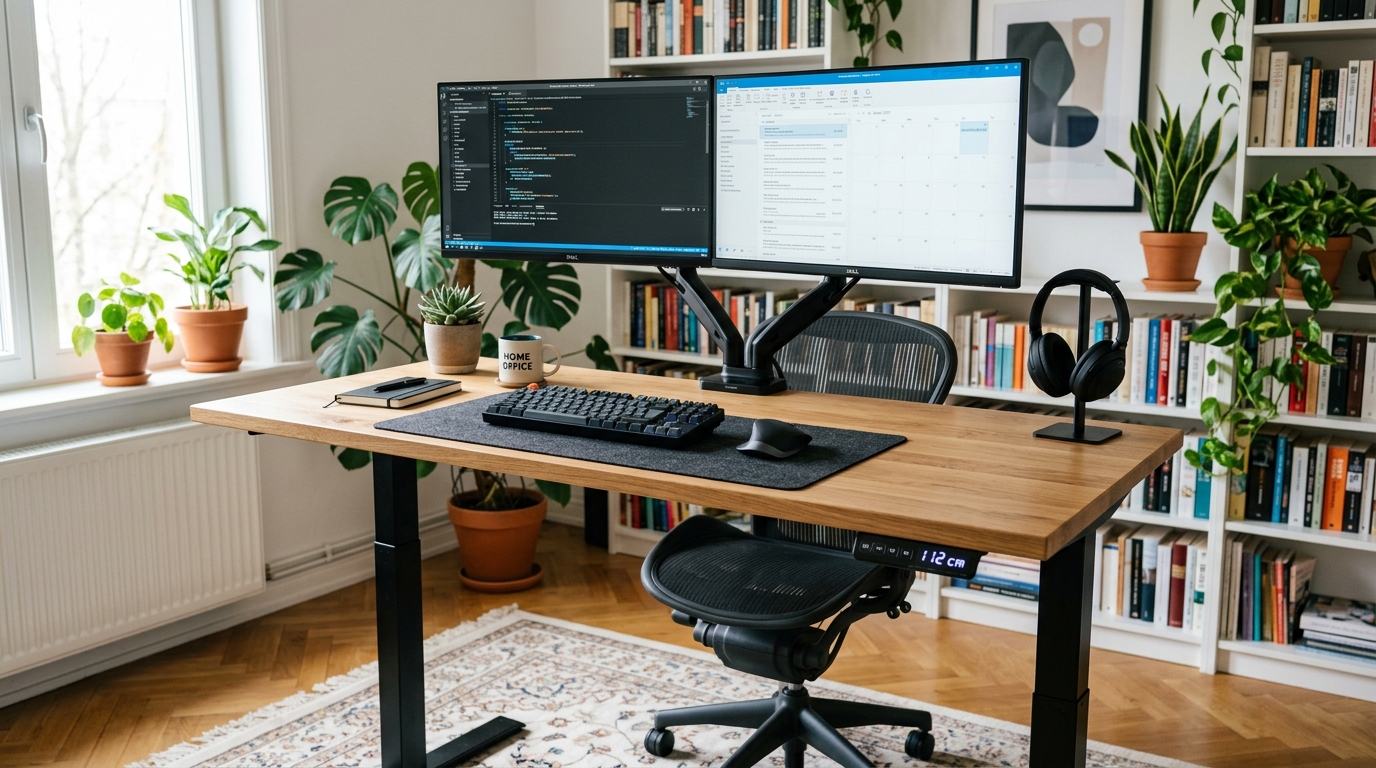
A standing desk is not a treatment for back pain, a tool for weight loss, or a substitute for movement. The research on those claims is mostly negative or null. What an electric sit-stand desk does do — and this is the only reason to buy one — is enable alternation between sitting and standing throughout your work day. That variability, repeated daily across years, meaningfully reduces musculoskeletal strain. The standing itself isn’t the win. The transition is.
This guide covers the electric sit-stand category specifically (manual hand-crank desks are functional but rarely get used after week three) and weights the trade-offs that matter past year five.
How we picked
Standing desks separate into three quality tiers, and the line between them is more about the frame than the top.
- Frame motor type and count. Dual-motor (one per leg) keeps the desk level under uneven load. Single-motor designs with a cross-bar drive both legs from one motor; they work fine on day one but lose level over years of use.
- Glide quality. Premium desks use 3-stage telescoping legs with brass bushings; budget desks use 2-stage legs with plastic glides. Brass holds up; plastic gets sloppy.
- Load capacity. Listed capacity is dynamic (how much can the motor lift). Sustained static load before frame deflection matters more — look for “tested to X lbs” claims.
- Stability at full height. Every desk wobbles at full standing height. Premium frames wobble in fractions of an inch; budget frames wobble in halves.
- Programmable presets and built-in controllers. Sounds like a luxury feature; it’s actually critical. Without presets, you stop using the standing mode within two weeks.
Quick comparison
| Product | Best for | Rating | Notes | |
|---|---|---|---|---|
| Uplift V2 (dual-motor, 48"-80") | best-in-class for most users | ★★★★★ | $600-1,000. 7-year frame warranty. 355 lb capacity. | Check price |
| Fully Jarvis (dual-motor, bamboo or laminate) | best value at the premium tier | ★★★★★ | $500-900. 15-year warranty on Jarvis frame. 350 lb capacity. | Check price |
| Vari Electric Standing Desk | easiest assembly; pre-assembled top option | ★★★★★ | $650-1,100. 5-year warranty. 250 lb capacity. | Check price |
| Flexispot E7 (dual-motor budget tier) | best dual-motor under $400 | ★★★★☆ | $300-450. 5-year frame warranty. 355 lb capacity. Frame only or with top. | Check price |
| Uplift V2 Pro Curve (4-leg) | wide / heavy / multi-monitor setups | ★★★★★ | $1,100-1,500. 4-leg frame for tops up to 80". 535 lb capacity. | Check price |
| Single-motor budget desks (avoid) | nothing — skip this tier | ★★★★☆ | Sub-$300. Single motor + cross-bar. Sag at year 3-4. | Check price |
The picks
Best overall: Uplift V2 (dual-motor)
Best for most users — the best balance of frame quality, top options, and warranty in the category
Uplift V2 Standing Desk (dual-motor frame, choice of top)
The Uplift V2 is the consensus pick in the home-office community for good reasons: 3-stage dual-motor frame, 355 lb load capacity, 7-year frame warranty (extended to 15 years if you register), wide range of tops (bamboo, laminate, hardwood, solid wood), and a 4-preset controller standard. Frame-only purchases let you bring your own top — a great option if you already have a slab you like.
★★★★★ (5,200 reviews)
Check current price on Amazon →Pros
- 3-stage dual-motor frame — quietest in the category and longest-lasting
- 355 lb load capacity (real, tested, not marketing)
- 15-year extended warranty with free registration
- Vast selection of tops (bamboo, oak, walnut, laminate)
- 48"-80" width options accommodate genuinely-large setups
- 24.5"-50" height range covers tall users (most desks stop at 48")
Cons
- Premium price ($600-1,000) — not the cheapest option
- Assembly is real work — budget 90-120 minutes for one person
- 60+ lb shipping weight; carry up stairs requires two people
- Controller is functional but ugly (basic LCD readout)
Best value at the premium tier: Fully Jarvis
Best for users who want Uplift-tier quality with a 15-year frame warranty out of the box
Fully Jarvis Standing Desk (bamboo or laminate, dual-motor)
The Jarvis is the original DTC standing desk that competes with Uplift — dual-motor, 350 lb capacity, 15-year frame warranty standard. The Jarvis costs $50-150 less than the equivalent Uplift configuration and the build quality is genuinely comparable. The trade-off is fewer top options and a slightly slower lift speed (about half an inch per second vs Uplifts six-tenths).
★★★★★ (3,700 reviews)
Check current price on Amazon →Best for tighter budgets: Flexispot E7
Best for buyers who want a real dual-motor standing desk under $400
Flexispot E7 (dual-motor, frame-only or with top)
The Flexispot E7 is the legitimately-good budget pick — dual-motor, 355 lb capacity, 5-year frame warranty. Frame quality is roughly 85-90% of Uplift/Jarvis with a 50% price discount. The trade-off is finish: Flexispot frames have rougher welds visible up close, and the included tops are basic MDF laminate. If you DIY a top (plywood, butcher block from a hardware store), the savings are significant.
★★★★☆ (6,800 reviews)
Check current price on Amazon →Best for wide setups: Uplift V2 Pro Curve (4-leg)
Best for dual or triple monitor setups, wide tops (above 72 inches), or sustained heavy loads
Uplift V2 Pro Curve 4-Leg Standing Desk
The standard 2-leg desk frame starts to wobble at the corners when tops exceed 72 inches in width or when load distribution is uneven (heavy monitor arms cantilevered off one edge). The 4-leg V2 Pro adds two cross-legs for genuine stability at wide setups. If you're running an ultrawide monitor plus a secondary portrait monitor on an arm, this is the frame you want.
★★★★★ (920 reviews)
Check current price on Amazon →What about manual / pneumatic / converter desks?
Three formats we don’t recommend as your primary standing desk:
- Manual hand-crank desks are real product, work fine, and cost less than electric. The problem is friction: it takes 30-60 seconds of cranking to transition, which is enough friction that most owners stop transitioning within two weeks. The standing mode then never gets used.
- Pneumatic gas-spring desks (e.g., Vari ProDesk) are faster than crank but harder to fine-tune to specific heights. They’re best for users who only need two positions (one sit, one stand) and never adjust.
- Desk converters (the things that sit on top of an existing desk) take less floor space and cost less, but they limit your work surface to whatever fits on the top platform. For laptop-only setups they’re fine; for monitor-plus-laptop setups they’re cramped.
Frame quality is what matters
The most common mistake is over-spending on the top and under-spending on the frame. The top can be replaced. The frame is what determines stability, lift smoothness, and how long the desk works. Spend the marginal dollars on the frame.
If you want a beautiful wood top, buy a quality 2-leg or 4-leg frame (Uplift, Jarvis, Flexispot E7) and source the top separately — a 1.5” thick plywood or butcher block top from a local hardware store runs $80-200 and looks better than most factory tops.
FAQ
Frequently asked questions
How long should I actually stand each day?
Are standing desks bad for your knees or feet?
Single motor vs dual motor — does it really matter?
How much does a quality standing desk weigh?
Will a standing desk help my back pain?
Do programmable height presets really matter?
Bottom line
Best overall: Uplift V2 in the $700-900 tier. Best value at premium tier: Fully Jarvis at $500-800. Best budget dual-motor: Flexispot E7 at $300-400. Skip single-motor desks and manual hand-crank desks.
The frame is what you’re really buying; the top is replaceable. Spend the marginal dollars on the frame.
Round out the kit: chair, keyboard, mouse, or read the full ergonomic office setup guide.